Two workstations and two compact AI machines in my office run open AI models locally. They drive my voice assistant, read photos and screenshots, and write small bits of code. Only that code, never client data, sometimes goes to a cloud model for a check. What it does today, and where it still falls short.

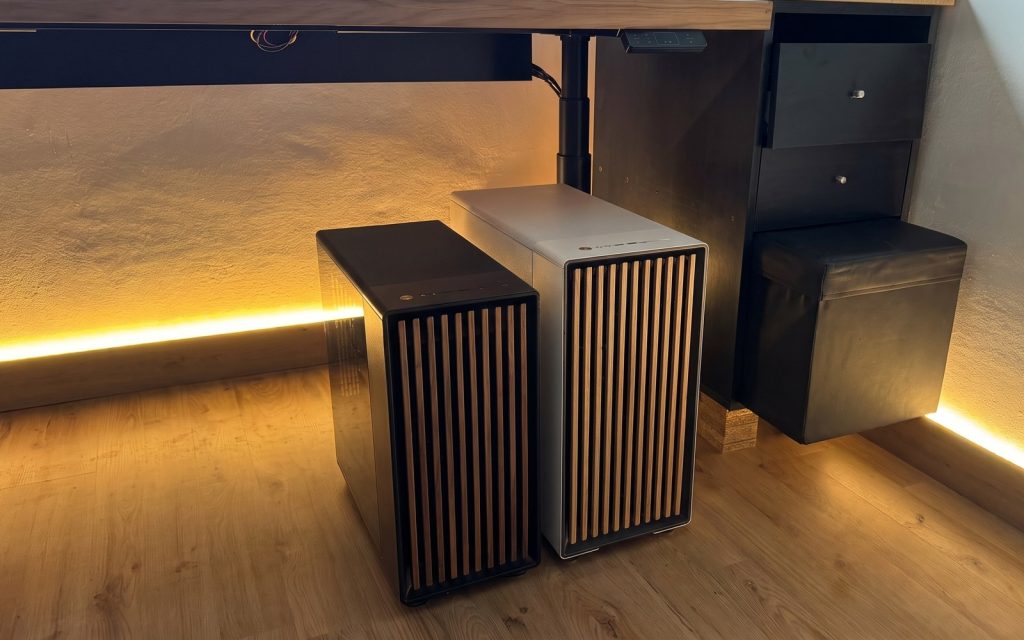
People assume "running AI locally" means a server room somewhere, or a project for later. Mine is two workstations under my office desk and two compact AI machines on top of it, all on my office network. Together they run open AI models through a small local server instead of a cloud subscription. Whatever gets typed into them stays there.
What it actually does, today
My voice assistant talks to those boxes, not to a cloud service. They read photos and screenshots when I need something pulled out of them (an address on a receipt, text in a screenshot I can't easily copy). And they handle small, well-defined coding tasks. The code they write, never client data, sometimes goes to a stronger cloud model for a check before anything ships.
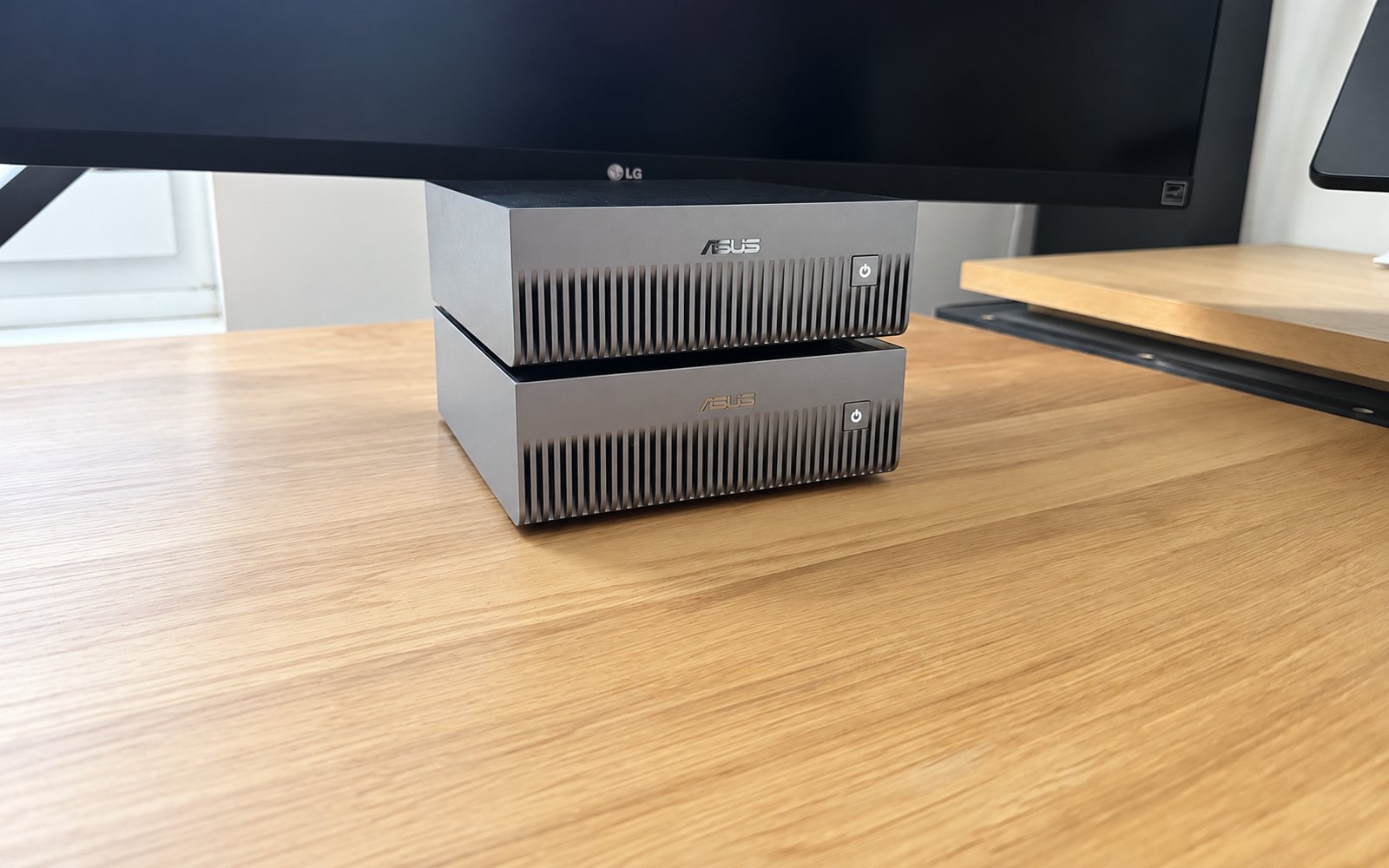
Under the hood there are two layers. The workstations under my desk run the smaller open models for the quick jobs. The two compact machines on my desk, each about the size of a book, run the bigger models, including the one that reads photos and scans. If you're not technical, the model names won't tell you much. They're open models I run myself, and my input doesn't go to anyone's subscription service.
Where it falls short
The best cloud models still reason better on hard problems. Each box runs a fixed set of models, so there's no picking whichever model fits the job like you can in the cloud. And it's hardware I own and keep running myself: if something breaks, I'm the one fixing it, not a vendor's support desk.
What it means for your company
For the data that really shouldn't leave the building (payroll, medical records, someone's full client file), a local model like this is a real option today. It won't beat a top cloud model on a hard problem, and for this it doesn't have to: it only has to keep that one category of data inside your own network, which is a much lower bar.
I haven't built this for a client yet. This is my own setup, running in my own office, and it's the thing I point to when someone asks whether local AI is realistic for a small company, or just a slide in someone's pitch deck.
What about you?
What's the one piece of data in your company you'd never want to leave the building? Start there. The graphics card comes much later. Tell me which one it is, and I'll come and look. The first look is free, no strings.